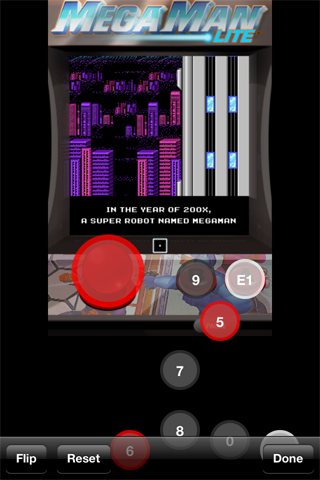
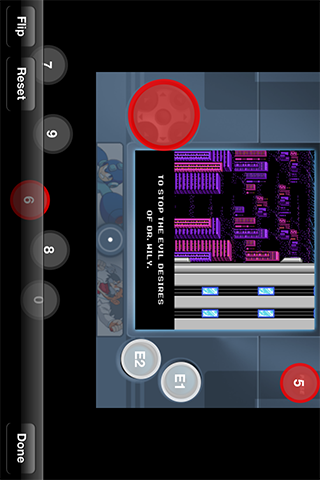
Compatible with iOS 6.1!

Control your favorite games with a real game controller.

Technical information
  • Blutrol is a universal iOS app. This means it runs on your iPhone, on your iPod touch and on your iPad.
  • iOS 4 or higher is required.
  • Blutrol supports portrait and landscape mode.
  • Configuration is done in the Blutrol app. There are no additional settings in the Settings app.
  • If the Blutrol app crashes on start, your permissions on /var/mobile/Documents might be wrong. SBSettings has an option to "fix user permissions".
Supported Game Controllers
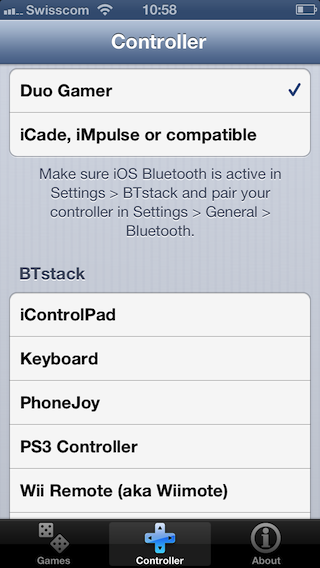
  • Bluetooth Keyboard (Supported keys: W, A, D, S, U, I, O, H, J, K, B, N, M and space)
  • DuoGamer
  • iCade
  • iControlPad
  • iMpulse (shoulder buttons are NOT supported)
  • PhoneJoy
  • PS3 Sixpair/Dualshock 3
  • Wii Remote (aka Wiimote)
  • Zeemote JS1 (Analog stick acts as D-Pad)
Changelog

3.1

  • Avoid accumulated lag with analog controls, especially with PS3 DualShock/SixPair.

3.0

  • Analog Controls
  • Duo Gamer
  • PS3 DualShock/SixPair 3
  • BTstack controllers don't stop after 10 minutes(v2)

2.2

  • BTstack controllers don't stop after 10 minutes
  • Prevent screen dimming
  • Allow mixed play using controller and fingers
  • iMpulse controller layout

2.1 iOS 6 Compatibility

2.0 Additional support for iControlPad, Bluetooth Keyboard, PhoneJoy, Wii Remote, Zeemote JS1

0.9.2

  • Improve detection of Landscape modes for some games.
  • Shows warning when configuration data cannot be written due to wrong user permissions.

0.9 Initial release

Use Bluetooth mouse or trackpad ...

Connect an external Bluetooth GPS ...

iOS device as a Bluetooth mouse & ...

Mac as Bluetooth keyboard for iOS ...